





Skip to content
DollWedding.net

DollWedding.net

Marry Your Doll @ DollWedding.net

Menu
  • Home
  • Marry Your Doll
  • Dolls’ Marriage Registry
  • Bridal Gallery
  • FAQ
  • en English
    • en English
    • de Deutsch
    • es Español
    • fr Français
    • it Italiano
    • nl Nederlands
    • pt Português
DollWedding.net » Frequently Asked Questions » How to have your existing marriage recognized

How to have your existing marriage recognized

Red arrow: mandatory action
Yellow arrow: recommended action
Green arrow: optional action

We strongly recommend holding your device horizontally.
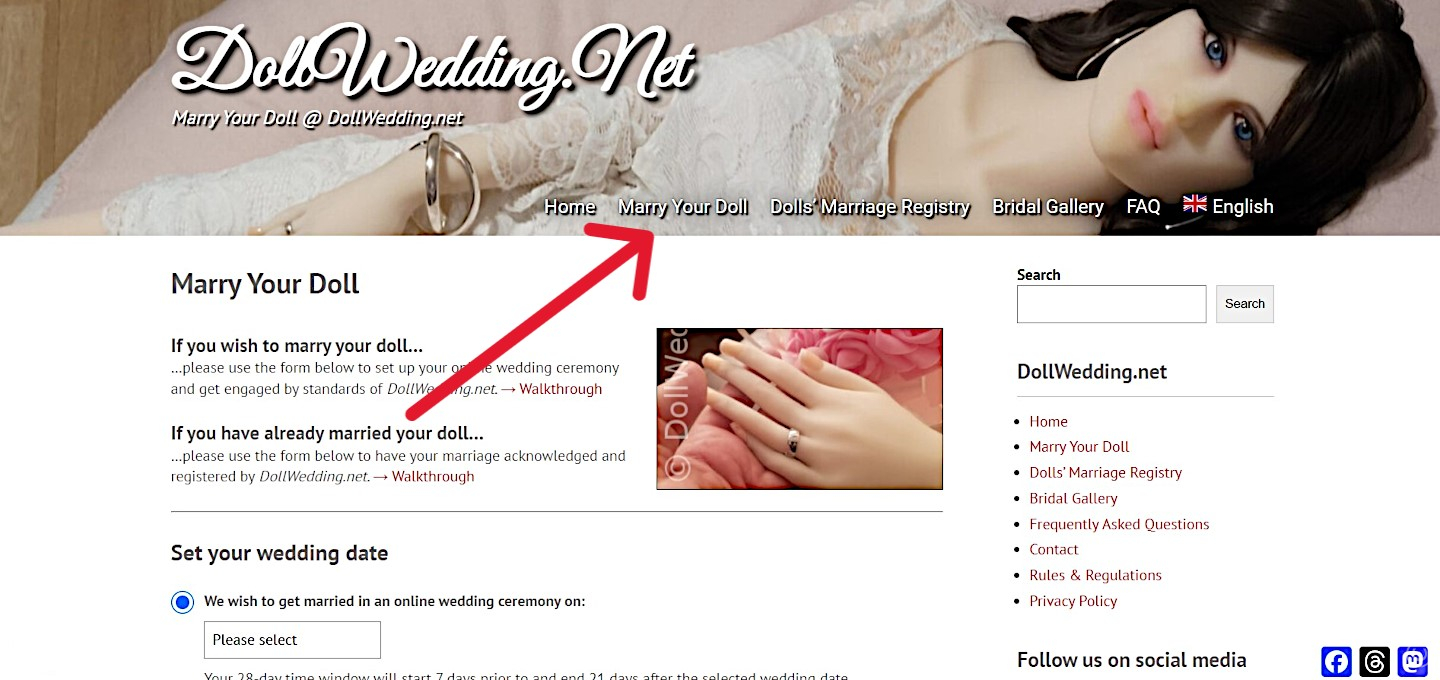
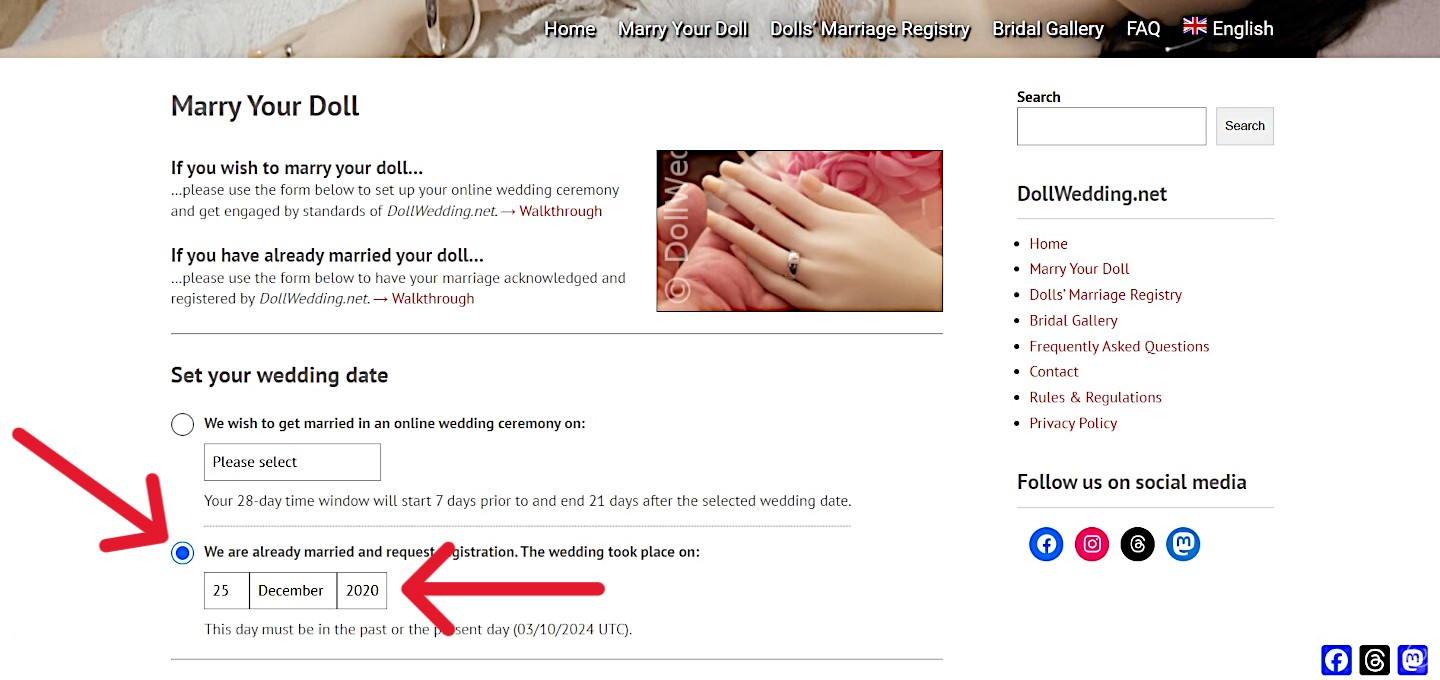
Click on “Marry Your Doll”.
Mark “We are already married…” and select your wedding day.
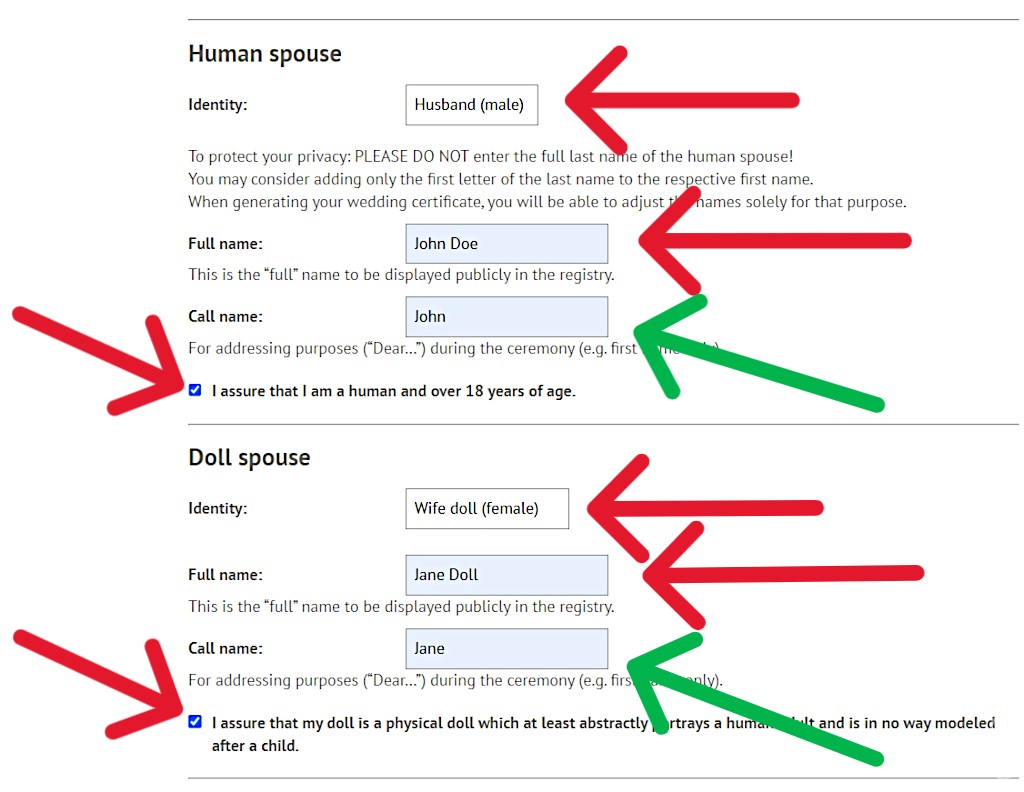
Select and enter your own and your doll’s data.
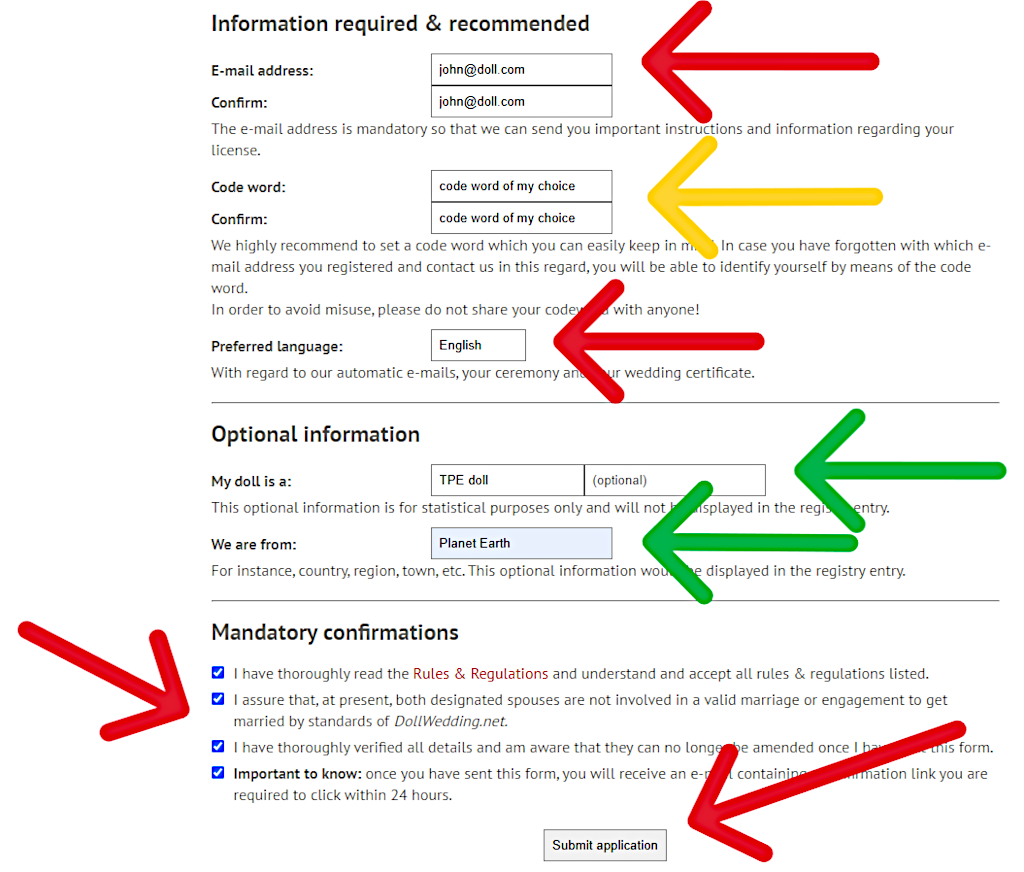
Provide your e-mail address, select and answer a security question and choose your preferred language.
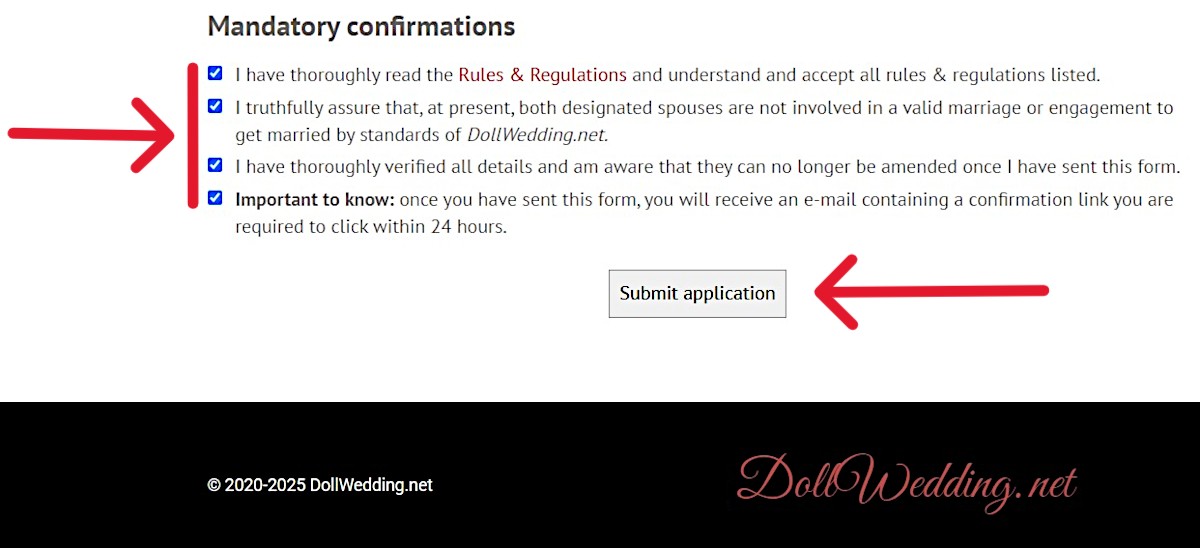
Do the mandatory confirmations, solve the equation and click the button.
You’ll receive an e-mail with a confirmation link to be clicked.
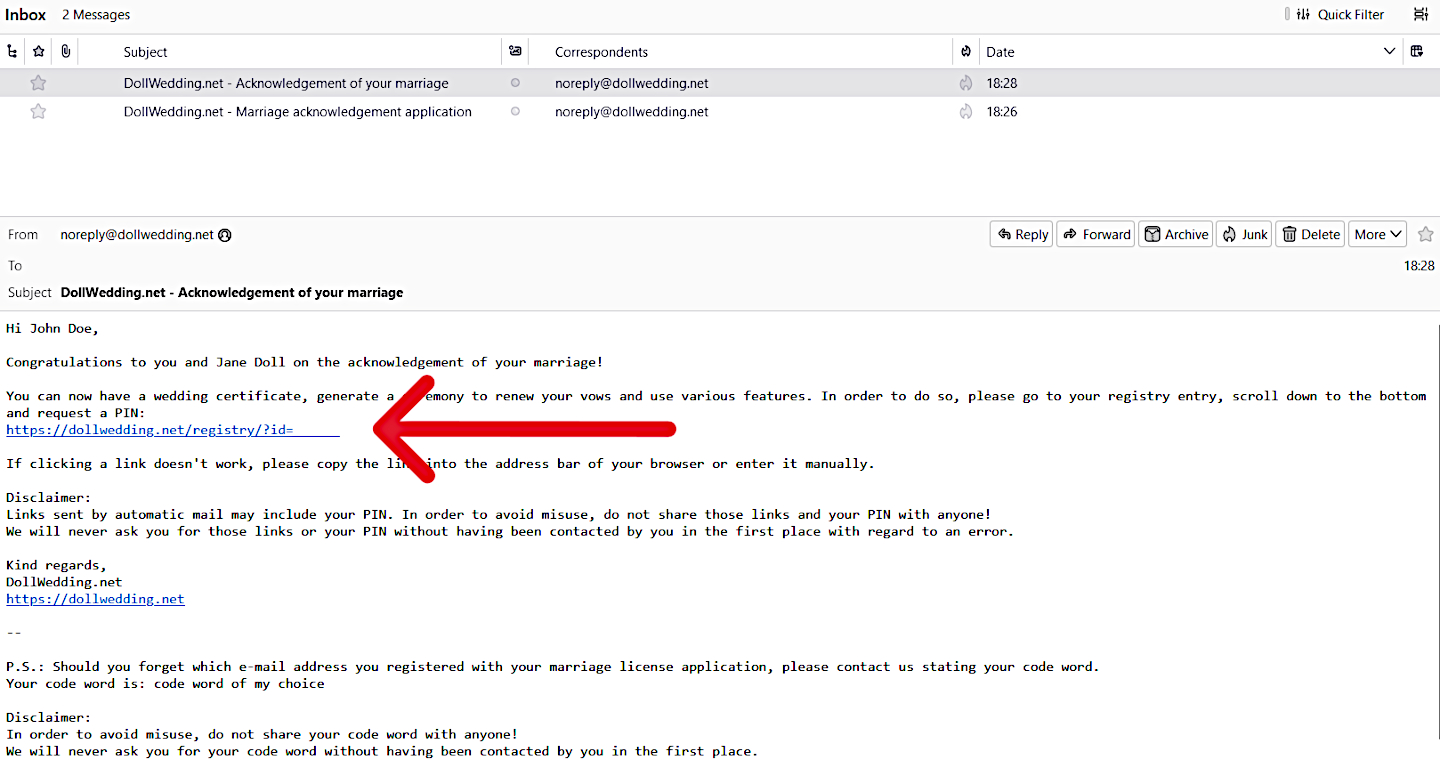
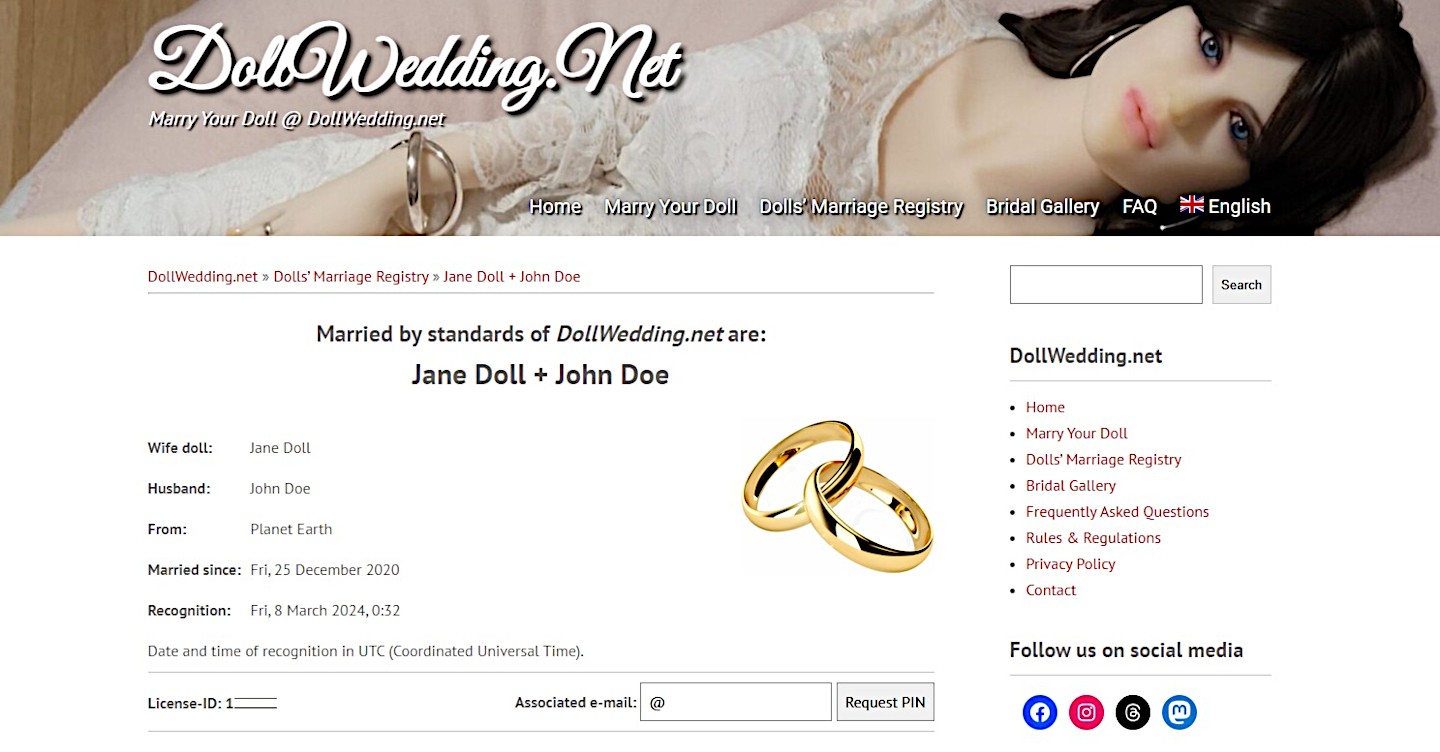
You’ll receive an e-mail with a link to your entry in the “Dolls’ Marriage Registry”…
…which will look like this.

Please also refer to “License” at the Rules & Regulations.

← How to marry your dollFrequently Asked QuestionsHow to have your ceremony login resent →

DollWedding.net

  • Home
  • Marry Your Doll
  • Dolls’ Marriage Registry
  • Bridal Gallery
  • Frequently Asked Questions
  • Rules & Regulations
  • Privacy Policy
  • Contact

Follow us on social media

  • Facebook
  • Instagram
  • Threads
  • Mastodon

© 2020-2026 DollWedding.net

DollWedding.net

Powered by WordPress
Theme: Truelove